From saved recipes to dinner on the table
PlanPlate is our iOS meal planning app. It imports a recipe from a link or a photo, extracts ingredients and steps with AI, and turns the week into a plan and a shopping list.
At a glance
- Product
- PlanPlate (planplate.ai), our own product
- For
- Home cooks who save recipes faster than they cook them
- Problem
- Recipes scattered across apps and screenshots, and dinner still decided at 5 PM.
- What we built
- A native iOS app with AI recipe import from 8 sources, a weekly planner, a shopping list and a hands-free cook mode.
- Result
- 500+ recipes imported and 50+ beta testers during the beta, in 4 languages.
Last updated:
Hundreds of saved recipes, the same five meals
You see a recipe on TikTok or Instagram and save it. Then another. The saves pile up across apps and in the camera roll, and nobody finds them again at 5 PM.
Cooking from a video means pausing and rewinding with flour on your hands to catch the ingredients, then guessing the quantities.
It’s 5 PM. The fridge is half empty, the kids are hungry, and the recipes you saved are spread across three apps.
This was the founder’s own routine as a single parent: recipes saved everywhere, the same five meals on rotation.
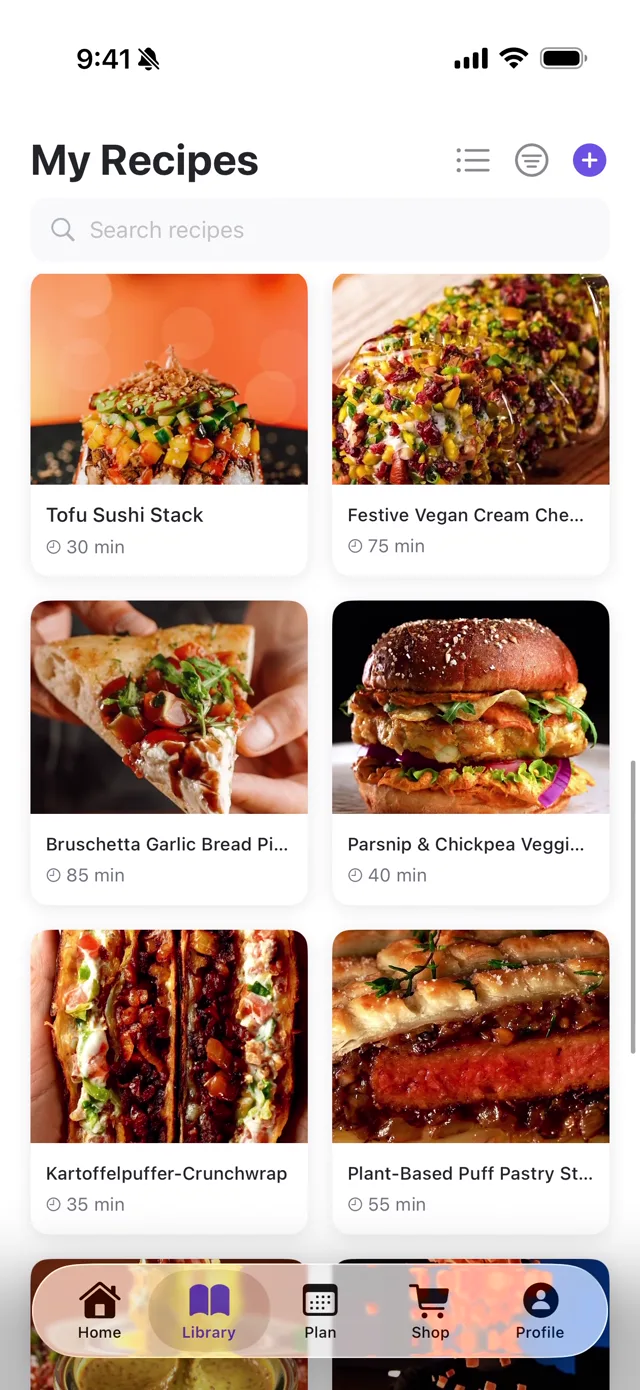
One app for every recipe
PlanPlate imports recipes from TikTok, Instagram, YouTube, Pinterest, Facebook, any recipe website, and photos of cookbooks or dishes. AI extracts the ingredients, steps and cooking times.
Import from a link
Paste a link from TikTok, Instagram, YouTube or a recipe website. The recipe appears in seconds.
Photo to recipe
Snap a cookbook page, a handwritten card or a finished dish, and PlanPlate writes out the recipe.
Hands-free cook mode
Large text, one step at a time, for when your hands are covered in flour.
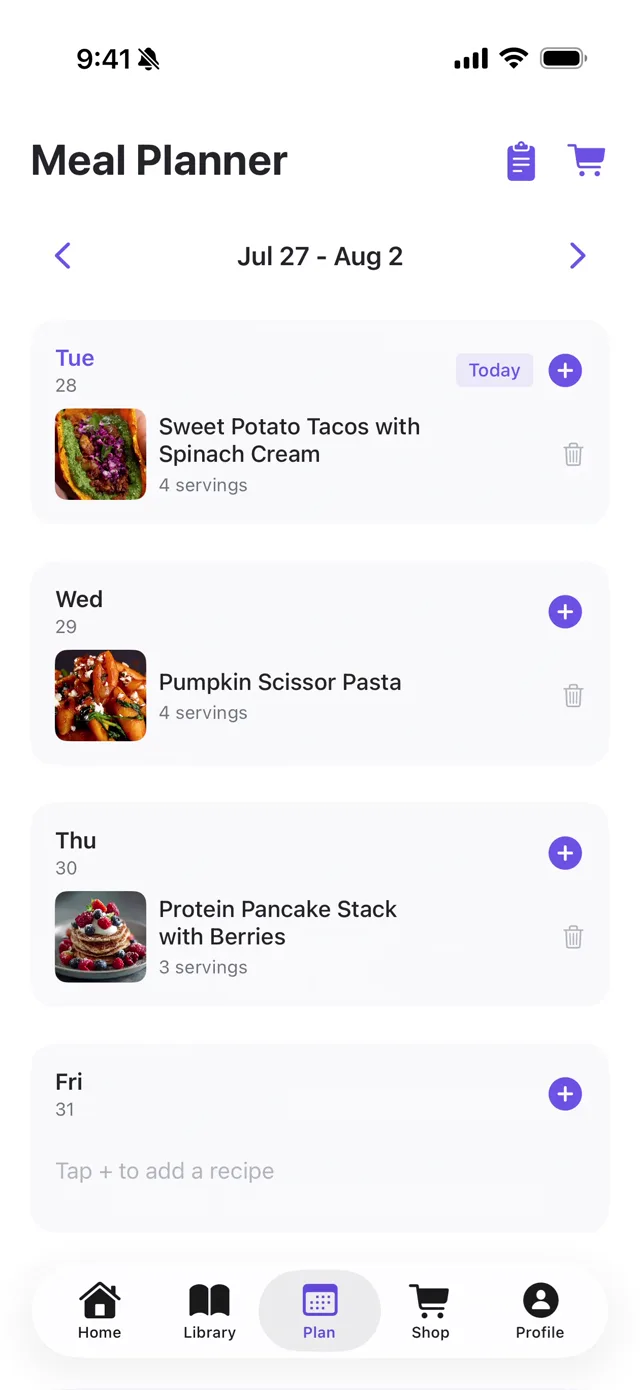
Meal planning
Drag recipes onto your week. The shopping list builds itself from the plan.
AI that reads cooking content
PlanPlate uses Gemini Vision to understand what is happening in a recipe video or photo.
Video frame analysis
For TikTok and Instagram videos, the AI looks at frames across the video to spot ingredients as they appear, estimate quantities and follow steps that nobody says out loud.
Cooking language
“A handful of basil” becomes a usable quantity, and “season to taste” gets a starting measurement.
Dish photos
Take a photo of a dish in a restaurant or a magazine. The AI identifies it and writes an ingredient list and instructions.
Each source needs its own handling. YouTube and TikTok use different link structures and video formats, Instagram needs processing on the device, and recipe websites use many different formats. The user just pastes a link.
A native iOS app

Import
Paste a link or add a photo. AI extracts the recipe in seconds.
Weekly plan
Plan the week in a few taps, before 5 PM arrives.
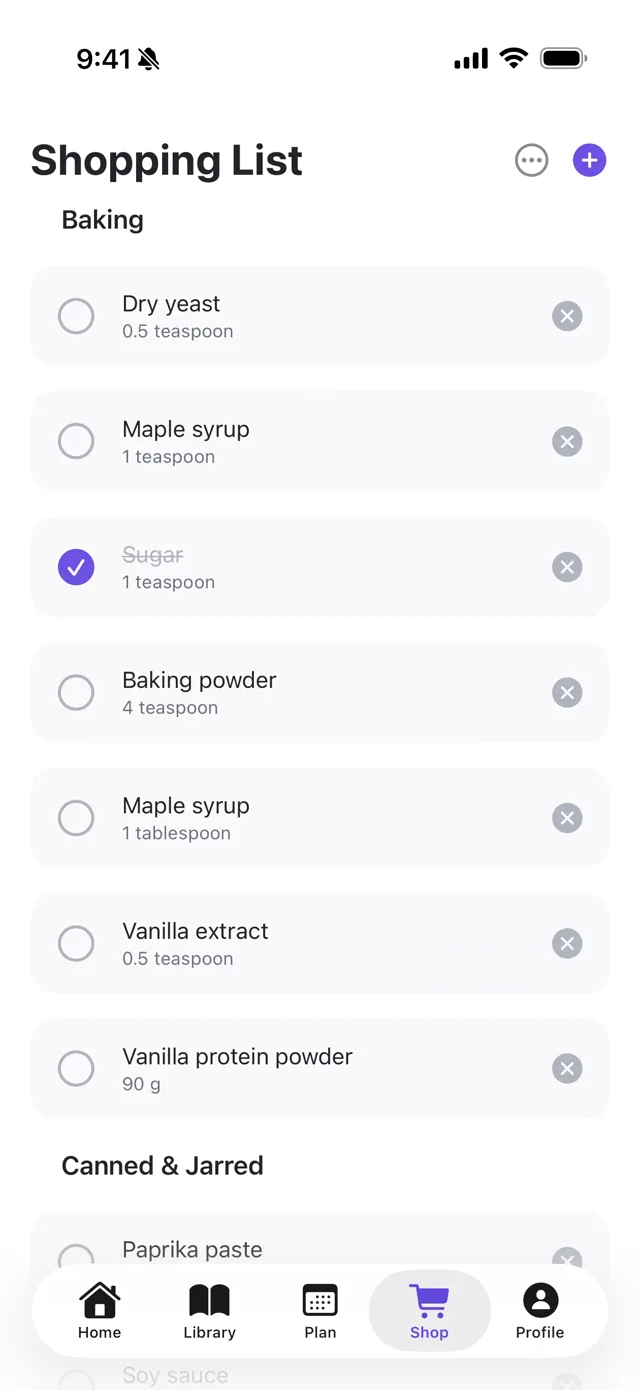
Shopping list
Every ingredient from your plan, grouped by aisle.
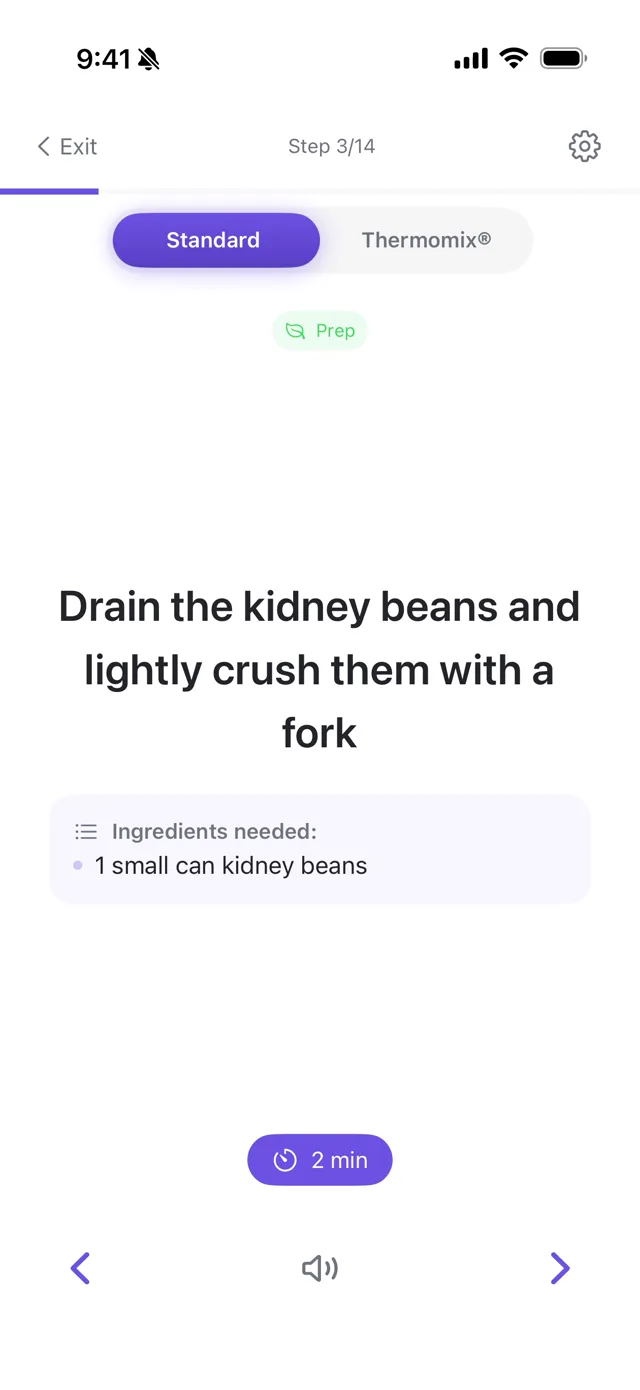
Cook mode
Big steps, one at a time. Made for hands covered in flour.
From beta to kitchen tables
PlanPlate started as the app the founder wanted for his own kitchen. The beta showed that plenty of other home cooks had the same problem, and it is now on the App Store.
I was tired of saving recipes I’d never cook. Now I plan the week on Sunday, shop once and actually cook the recipes I saved.
Where is your team at its limit?
Tell us which process takes up the most time. We map how it works today and tell you plainly whether AI can take it off your team.
Talk to us